ESP32开发教程(0)— 搭建开发环境(Ubuntu图文版)-阿里云开发者社区
Ubuntu 编译环境搭建
(1)首先升级默认的 Python3
(2)安装 Git
(3)安装CMake
(3)下载 ESP-IDF
git clone https://gitee.com/EspressifSystems/esp-gitee-tools.git
git clone -b release/v5.5 https://gitee.com/EspressifSystems/esp-idf.git
cd esp-gitee-tools
./submodule-update.sh ../esp-idf
后续更新子模块 git submodule update --init --recursive
(4)配置
进入 esp-idf 目录
export IDF_GITHUB_ASSETS="dl.espressif.com/github_assets"     #这是个临时的环境变量
./install.sh all
. ./export.sh
出现这个就成功了:
Checking "python3" ...
Python 3.11.9
"python3" has been detected
Activating ESP-IDF 5.5
Setting IDF_PATH to '/Dev-Tools/esp-idf'.
* Checking python version ... 3.11.9
* Checking python dependencies ... OK
* Deactivating the current ESP-IDF environment (if any) ... OK
* Establishing a new ESP-IDF environment ... OK
* Identifying shell ... bash
* Detecting outdated tools in system ... OK - no outdated tools found
* Shell completion ... Autocompletion code generated

Done! You can now compile ESP-IDF projects.
Go to the project directory and run:

  idf.py build
python 报错:
 File "/usr/local/lib/python3.11/tarfile.py", line 1929, in xzopen
    raise CompressionError("lzma module is not available") from None
tarfile.CompressionError: lzma module is not available
解决办法:
sudo apt install liblzma-dev
然后重新编译、安装
ESP32开发教程(0)— 搭建开发环境(Ubuntu图文版)-阿里云开发者社区
(6)
每次使用打开新的终端,必须先激活下环境变量 export.sh,麻烦。
sudo vim ~/.bashrc在第一行上面添加:
alias getidf='. /opt/ESP32_Workspace/esp-idf/export.sh'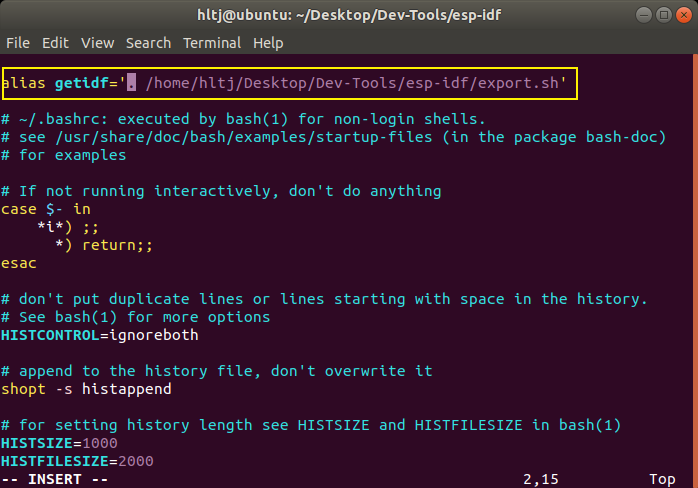
注意前面有个点,表示执行脚本。
保存后重新加载:
source ~/.bashrc然后使用 getidf 就能简单的获取 ESP32 的环境了。
idf.py build 编译
idf.py monitor 串口消息
(5)ubuntu上烧录和查看
ESP32开发教程(0)— 搭建开发环境(Ubuntu图文版)-阿里云开发者社区
远程编译脚本
build.py
import os
import paramiko
import shutil
from scp import SCPClient
from colorama import Fore, Back, Style, init


def remote_compile():
    # 固定参数配置
    host = "192.168.1.4"
    port = 22
    username = "hltj"
    password = "LZX#lzx7586"
    remote_path = "/home/hltj/Desktop/Dev-Tools/ESP32-Remote-Build/"  # 替换为远程主机上的目标路径
    compile_command = ". /home/hltj/Desktop/Dev-Tools/esp-idf/export.sh && idf.py fullclean && idf.py build"  # 固定编译命令

    # 获取当前目录名和内容
    local_dir = os.getcwd()  # 当前完整路径 E:\ProgramFiles\ESP32-IDF\......getting_started\station
    dir_name = os.path.basename(local_dir)  # 当前文件夹 station
    remote_full_path = os.path.join(remote_path, dir_name)
    # ubuntu上目录:/home/hltj/Desktop/Dev-Tools/ESP32-Remote-Build/station
    remote_build_path = os.path.join(remote_full_path, 'build').replace('\\', '/')
    # ubuntu上目录:/home/hltj/Desktop/Dev-Tools/ESP32-Remote-Build/station/build
    local_build_path = os.path.join(local_dir, 'build')
    # E:\ProgramFiles\ESP32-IDF\......getting_started\station\build

    # 创建SSH客户端
    ssh = paramiko.SSHClient()
    ssh.set_missing_host_key_policy(paramiko.AutoAddPolicy())

    try:
        print(Style.BRIGHT + Fore.BLUE + f"[Connect To Host] {host}:{port} @ {username}")
        # print(f"[Connect To Host] {host}:{port} @ {username}")
        ssh.connect(host, port=port, username=username, password=password)
        scp = SCPClient(ssh.get_transport())

        # 删除本地build目录
        if os.path.exists(local_build_path):
            print(Style.BRIGHT + Fore.RED + f"[Delete Local Build Dir] {local_build_path}")
            shutil.rmtree(local_build_path)
        # 删除ubuntu中build目录
        print(Style.BRIGHT + Fore.RED + f"[Delete Remote Build Dir] {remote_full_path}")
        stdin, stdout, stderr = ssh.exec_command(f"rm -rf {remote_full_path}")
        stdout.channel.recv_exit_status()  # 等待命令完成

        # 确保目标路径存在
        print(Style.BRIGHT + Fore.GREEN + f"[Transfer Files] \n From Local: {local_dir} \n To Remote: {remote_full_path}")
        stdin, stdout, stderr = ssh.exec_command(f"mkdir -p {remote_path}")
        stdout.channel.recv_exit_status()

        # 1、传输整个目录
        scp.put(local_dir, recursive=True, remote_path=remote_full_path)

        # 2、执行编译命令
        print(Style.BRIGHT + Fore.BLUE + f"[Compile Project] ......")
        stdin, stdout, stderr = ssh.exec_command(f"cd {remote_full_path} && {compile_command}")
        exit_status = stdout.channel.recv_exit_status()
        if exit_status != 0:
            print(Back.RED + Fore.WHITE + f"编译失败,错误码: {exit_status}")
            print(Back.RED + Fore.WHITE + "错误输出:")
            print(stderr.read().decode())
            return False

        # print("编译输出:")
        # print(stdout.read().decode())

        # 3、将build目录复制回本地
        print(Style.BRIGHT + Fore.GREEN + f"[Transfer Files] \n From Remote: {remote_build_path} \n To Local: {local_dir}")
        scp.get(remote_build_path, recursive=True, local_path=local_dir)  # SSH复制操作

        print(Back.BLUE + Fore.WHITE + "[Compile Project Successfully!]")
        return True

    except Exception as e:
        print(Back.RED + Fore.WHITE + f"发生错误: {str(e)}")
        return False
    finally:
        scp.close()
        ssh.close()

if __name__ == "__main__":
    init(autoreset=True)
    print(Back.BLUE + Fore.WHITE + "[功能]    在ubuntu编译并同步到本地")
    success = remote_compile()
    if not success:
        exit(1)
将文件打包为exe
pyinstaller --onefile .\build.py然后添加到环境变量中
当 idf.py menuconfig 时,windows上可能运行不了,因为ubuntu中的ninja版本和windows不一样,还没解决。
sync_local.py
这个什么时候用?在ubuntu配置菜单、编译后、或修改了某些文件,同步到Windows中。
import os
import paramiko
import shutil
from scp import SCPClient
from colorama import Fore, Back, Style, init


def remote_compile():
    host = "192.168.1.4"
    port = 22
    username = "hltj"
    password = "LZX#lzx7586"
    remote_path = "/home/hltj/Desktop/Dev-Tools/ESP32-Remote-Build/"

    local_dir = os.getcwd()
    local_path = os.path.dirname(os.getcwd())  # 当前路径的上级路径 E:\ProgramFiles\ESP32-IDF\......getting_started
    dir_name = os.path.basename(local_dir)  # 当前文件夹 station
    remote_full_path = os.path.join(remote_path, dir_name) # ubuntu上目录:/home/hltj/Desktop/Dev-Tools/ESP32-Remote-Build/station

    ssh = paramiko.SSHClient()
    ssh.set_missing_host_key_policy(paramiko.AutoAddPolicy())

    try:
        # print(f"{local_dir}\n{dir_name}\n{remote_full_path}")

        print(Style.BRIGHT + Fore.BLUE + f"[Connect To Host] {host}:{port} @ {username}")
        ssh.connect(host, port=port, username=username, password=password)
        scp = SCPClient(ssh.get_transport())

        # SSH复制操作
        print(Style.BRIGHT + Fore.GREEN + f"[Transfer Files] \n From Remote: {remote_full_path} \n To Local: {local_dir}")
        scp.get(remote_full_path, recursive=True, local_path=local_path)

        print(Back.BLUE + Fore.WHITE + "[Successfully!]")
        return True

    except Exception as e:
        print(Back.RED + Fore.WHITE + f"发生错误: {str(e)}")
        return False
    finally:
        scp.close()
        ssh.close()

if __name__ == "__main__":
    init(autoreset=True)
    print(Back.BLUE + Fore.WHITE + "[功能]    同步ubuntu项目到本地")
    success = remote_compile()
    if not success:
        exit(1)
Windows 开发环境搭建
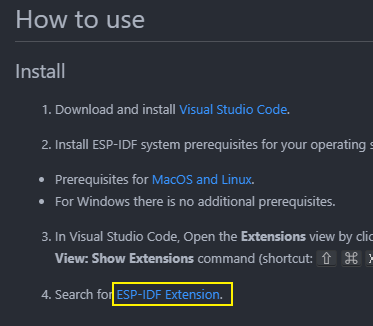
(1)安装vscode插件
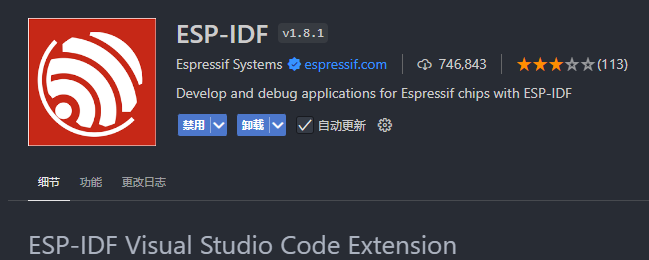
(2)安装 idf 框架
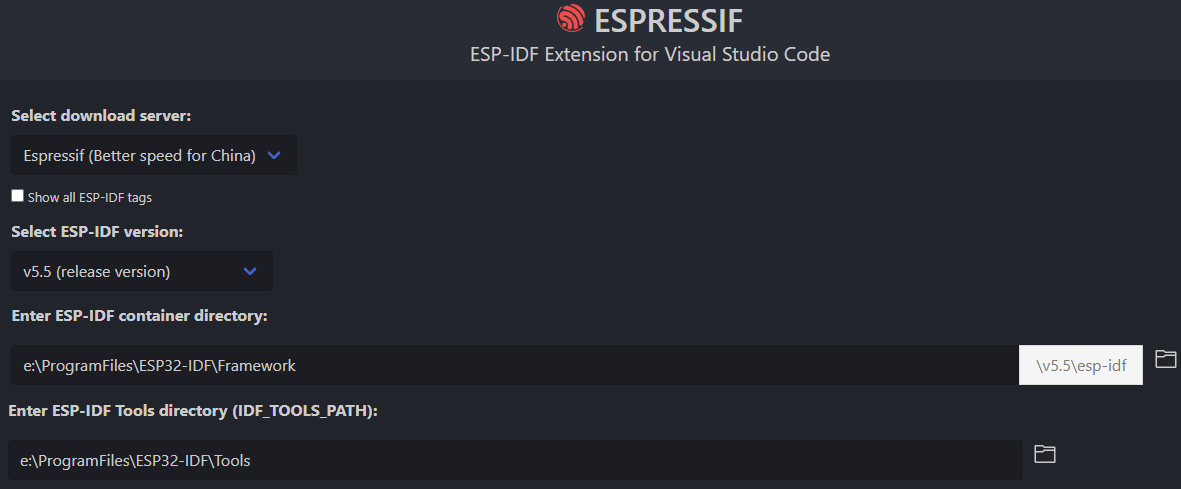
至少要 40 分钟
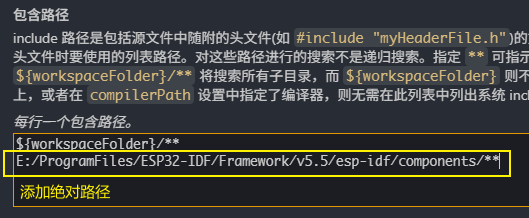
头文件报错问题
添加上绝对路径:
E:/ProgramFiles/ESP32-IDF/Framework/v5.5/esp-idf/components/**
"name": "Win32",
            "includePath": [
                "${workspaceFolder}/**",
                "E:/ProgramFiles/ESP32-IDF/Framework/v5.5/esp-idf/components/**"
            ],
(1)悬停在报错的头文件上
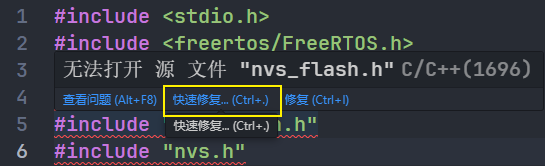
(2)
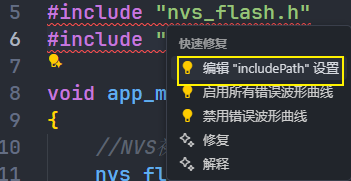
(3)