
Git 安装
sudo apt-get -y install install-info asciidoc xmlto docbook2x libcurl4-openssl-dev
wget https://www.kernel.org/pub/software/scm/git/git-2.50.1.tar.xz
tar -vxJf git-2.50.1.tar.xz
cd git-2.50.1
./configure --prefix=/usr/local
make -j$(nproc)
sudo make install
查询版本:
git -v更新已安装的 Git
git clone git://git.kernel.org/pub/scm/git/git.gitGit 登录
(1)设置用户信息:
git config --global user.name Ryan
git config --global user.email infinitehz@yeah.net(2)
ssh-keygen -t ed25519 -C "Gitee SSH Key"按三次Enter,直到输出:
Your identification has been saved in /home/hltj/.ssh/id_ed25519.
Your public key has been saved in /home/hltj/.ssh/id_ed25519.pub.
The key fingerprint is:
SHA256:______ Gitee SSH Key
The key's randomart image is:
+--[ED25519 256]--+
|.*=X.=...        |
|+o@.= o.         |
|*o.O  .          |
|=oO +o           |
| X.*..o S        |
|o *... . .       |
|   Eo            |
|  ..o.           |
|  ...o           |
+----[SHA256]-----+
(3)查看秘钥文件
cat ~/.ssh/id_ed25519.pub输出形如:ssh- __________ Gitee SSH Key
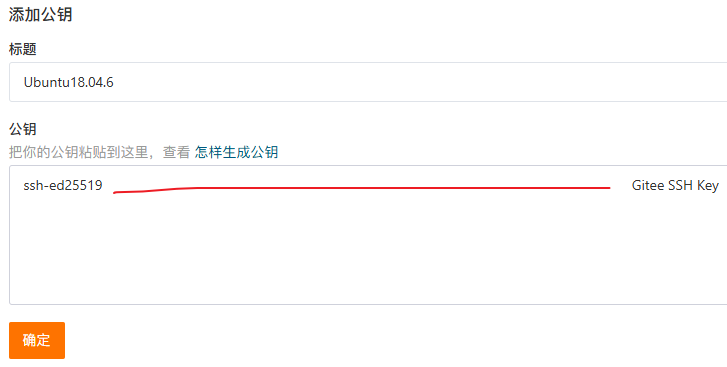
(4)复制到 Gitee
Git clone 报错
git: 'remote-https' is not a git command. See 'git --help'.
fatal: remote helper 'https' aborted session
原因是之前没有安装 libcurl4-openssl-dev,安装后重新编译安装 Git 既可。